
How to Insert Emoji in SoftMaker Office 2026 on Windows
Adding an emoji to a document in SoftMaker Office 2026 for Windows is quick and easy. You can insert emojis in TextMaker, PlanMaker, and Presentations using the built-in Windows emoji keyboard.
To insert emoji, proceed as follow:
1. Open TextMaker 2026, PlanMaker 2026, or Presentations 2026.
2. Place the cursor where you want the emoji.
3. Press Windows + . (period) or Windows + ; (semicolon) to open the Windows emoji panel.
4. Select the emoji you want to insert.
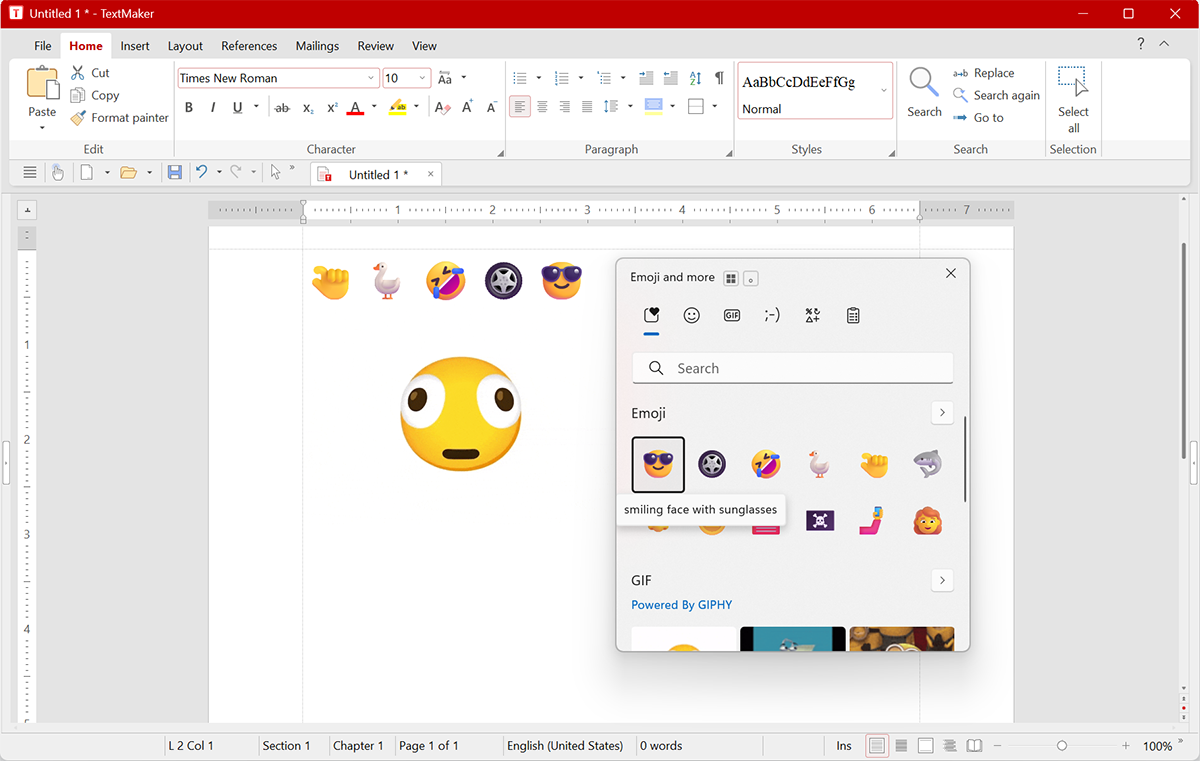
Emoji works in TextMaker, PlanMaker, and Presentations
Emoji support is available in all three SoftMaker Office 2026 applications:
- TextMaker 2026 — Add emojis to documents and letters.
- PlanMaker 2026 — Add emojis to spreadsheet cells.
- Presentations 2026 — Add emojis to slide show text and titles.
New in SoftMaker Office Professional 2026
Emoji support is a new feature in SoftMaker Office Professional 2026. It was not supported in SoftMaker Office 2024. If you are using SoftMaker Office 2024 or an older version, upgrading to SoftMaker Office Professional 2026 let you use emojis in TextMaker, PlanMaker, and Presentations, along with the latest features and improvements.
Ready to upgrade? SoftMaker Office Professional 2026 is available for Windows, Mac and Linux, SoftMaker Office NX Universal also adds support for iOS and Android.
Ready to try? Download free trial of SoftMaker Office 2026 here.
0 Comments