SoftMaker Office 2026 features
All applications
- SoftMaker Office uses the Microsoft Office formats DOCX, XLSX and PPTX natively, obviating the need to convert documents.
- Create PDF and PDF/A files directly from any application.
- NEW: PDF as an image format – insert PDFs as crisp vector graphics.
- NEW: Multi-line QR codes and EPC QR codes, for example for bank transfers by scanning.
- NEW: Now you can easily insert emojis into your documents, spreadsheets and presentations.
- Version management keeps any number of file versions and lets you revert to an earlier one at any time.
- Powerful research function: Select terms in your document and look them up in a large variety of online dictionaries and encyclopedias.
- Can be installed to a USB flash drive so that it can be used on any PC without installation.
- The license lets you use SoftMaker Office 2026 on up to five computers running any combination of Windows, macOS or Linux in your household.
- Additionally to computers you can use SoftMaker Office on 5 mobile devices (iPhone, iPad, Android) [SoftMaker Office NX Universal]
- All applications are GDPR compliant.
- Free customer support provided directly by SoftMaker.
User Interface
- You can use SoftMaker Office either with modern ribbons or with classic menus and toolbars.
- Ribbons are customizable.
- NEW: Context menus with an integrated toolbar for quick access to commonly used commands.
- NEW: Improved, extra-dark dark mode, easier on the eyes at night.
- NEW: Smoothly styled ribbon, even at 150% screen scaling.
- Quick access toolbar for frequently used commands.
- NEW: Switch to enhanced dark mode to reduce eyestrain.
- Quick access toolbar for frequently used commands
- Touchscreen mode with larger icons and wider spacing.
- Support for high-resolution 4K screens.
- Open documents either in tabs or in separate windows – just like in a web browser.
- Drag document tabs to the desktop to “undock” them to a separate window, or drag them to the tab bar to convert them to a document tab again.
- Rearrange document tabs using drag & drop.
- Pin documents and templates in the file and template history for quick access to often-needed files.
Files and printing
- Documents can be exchanged between any version of TextMaker on any operating system with no loss of fidelity.
- Open and save DOCX and DOC files from Microsoft Word 2003 to 2024 and Office 365 faithfully to the original formatting, including password-protected files.
- Open and save OpenDocument files (compatible with OpenOffice and LibreOffice).
- Open and save documents in RTF, HTML, Pocket Word, ASCII and Unicode formats.
- Open WordPerfect documents (.wpd) [WINDOWS].
- NEW: Markdown import and export – the format used by many note-taking apps, AI tools and software documentation
- Assistant for importing and exporting text files.
- Create PDF and PDF/A files as well as PDF forms directly in TextMaker.
- Tagged PDFs and bookmarks in PDF files.
- A wide range of PDF export options, e.g. PDF encryption, password protection, accessibility, font embedding and image compression.
- Export to the e-book format EPUB.
- Create DOCX and TMDX documents with embedded fonts.
- NEW: Integrated print preview in the print dialog.
- Print 2, 4, 8 or 16 pages on one sheet of paper [WINDOWS].
- Share documents or send documents in a freely selectable format (e.g. DOCX, DOC or PDF) by e-mail.
Editing and formatting
- Create attractive documents thanks to numerous document templates.
- Insert fields, such as date/time, page number, author, consecutive numbers, etc.
- NEW: Create custom fields under File | Properties and fill them with values.
- SmartText: for example, type “asap” and “as soon as possible” appears immediately.
- Real-time word and keystroke counter in the status bar.
- Calculations in text and tables.
- Borders, shadings, fill patterns, drop caps, paragraph control.
- Automatically add fold marks to your pages to make sure you fold them right for an envelope.
- Hidden and protected text.
- Paragraph and character styles.
- Stylesheet manager: Manage styles and transfer them between documents.
- Filter styles “All styles”, “Styles in use” and “Styles in document”.
- Transfer formatting with the format painter.
- Automatic numbering of lines, paragraphs, lists and headings.
- Real master pages, not just simple headers and footers.
- Real-time preview of formatting changes.
- Easy document comparison thanks to synchronous scrolling of two documents displayed side by side.
Graphics and drawings
- Comprehensive drawing and image functions: Draw and design directly in your document with Word-compatible AutoShapes.
- Insert images in a range of file formats. NEW: now including PDF images.
- Powerful graphics functions such as mirror effects, soft shadows and transparencies.
- Compress inserted pictures.
- Images can be cropped directly in the document.
- Change brightness, contrast and gamma of images directly in TextMaker.
- Fill drawings with colors, patterns, images and gradients.
- Photo frames.
- Insert QR codes and barcodes. NEW: now also multiline.
- Contour wrap.
- Connector lines between objects.
- Large symbols library for flowcharts and org charts.
- TextArt feature for type effects.
- Insert more than 80 different types of charts, e.g. bar charts, histograms and pie charts.
- Use smart guides for fast and precise alignment of objects with one another.
Tables
- Complex, as well as nested and multi-page tables.
- Cells can be merged, split and rotated.
- Repeating header lines (headers are automatically repeated at the top of each new page).
- Sort text and tables.
- Table styles.
Language tools
- Automatic spell checking in more than 85 languages, as you type.
- Automatic correction of common typos in many languages.
- Synonyms dictionaries in ten languages and automatic hyphenation in 35 languages.
- You can add any Hunspell dictionary.
- Automatic spell-check: incorrectly written words are underlined in red.
- NEW: For German spell checking and grammar checking, the new version of Duden Korrektor is included.
- NEW:Includes the latest version of LanguageTool, the grammar and style checker for over 30 languages [SoftMaker Office NX Universal]
- NEW: Automatic translation of documents with DeepL in 30 languages [SoftMaker Office NX Universal]
- NEW: ChatGPT’s artificial intelligence writes new texts on any subject for you, summarizes existing texts and improves the grammar and style of your texts – and does so in many languages! [SoftMaker Office NX Universal]
Functions for complex documents
- Integrates directly with the citation and reference management software Zotero, making the creation of scientific documents easier than ever.
- Outline view for structuring documents. NEW: Move headings and their sublevels using drag & drop.
- Sidebar search for conveniently browsing search results.
- Page thumbnails in the sidebar allow for better navigation in large documents.
- Track changes tracks all changes made to documents and enables you to accept/reject them later.
- Comments are shown as balloons in the right-hand margin of your pages. NEW: You can reply to comments and mark them as resolved.
- Cross references, footnotes, endnotes, indices, tables of contents, bibliographies.
- Image captions and tables of figures.
- Create and fill forms with input fields, checkboxes, dropdown lists, calculations, etc..
Extras
- The Read aloud function reads a document to you [WINDOWS].
- Fully Unicode-enabled with extended support for Asian fonts and Arabic.
- TextMaker is an OLE server and can insert its documents in any other program [WINDOWS].
- Integrated equation editor [WINDOWS].
- You can zoom and scroll with your fingers on touchscreens.
- Macro programming with BasicMaker and other programming languages [WINDOWS].
- Easy creation of mail merges using SQLite, XLSX, PMDX, dBASE and CSV files.
- Built-in database module for SQLite, XLSX, PMDX, dBASE and CSV files.
- Change the structure of databases.
- Convert existing dBASE databases to SQLite.
- Insert individual addresses in letter heads.
- Create and print labels and envelopes from the database.
Files and printing
- Worksheets can be exchanged losslessly between any version of PlanMaker on any operating system.
- Open and save XLSX and XLS from Microsoft Excel 2003 to 2024 and Office 365 faithfully to the original, including password-protected files.
- Improved import and export assistant for text files.
- Import and export assistant for SQLite and dBASE databases.
- Create PDF and PDF/A files directly in PlanMaker.
- PDFs with tags and bookmarks.
- A wide range of PDF export options, e.g. PDF encryption, password protection, accessibility, font embedding and image compression.
- Scale the printout so that it fits on a specified number of pages (five different scaling methods).
- Print 2, 4, 8 or 16 pages on one sheet of paper [WINDOWS].
- NEW: Integrated print preview in the print dialog.
- Page break preview to prepare worksheets for printing
- Share worksheets or send worksheets in a freely selectable format (e.g. XLSX, XLS or PDF) by e-mail.
Comprehensive calculation capabilities
- More than 460 calculation functions.
- NEW: Dynamic arrays – one formula returns multiple results that automatically spill into neighboring cells (FILTER, SORT, UNIQUE, SEQUENCE and more).
- NEW: XLOOKUP, a more flexible successor to VLOOKUP, plus XMATCH and around 30 additional functions.
- Worksheets with 1 million rows and 16,384 columns.
- Calculation with complex numbers and array functions.
- Numbers can be formatted as currency units, with fixed decimal places and thousands separators, as percentages or fractions, as dates and times etc..
- Perpetual time format (20:00 + 5:00 is not 1:00 but 25:00) which also allows negative times.
- AutoSum, AutoProduct etc..
- AutoFill: intelligent filling of cell areas with values and rows of values.
- External references to other files.
Editing worksheets
- Freeze rows and columns.
- Cell comments.
- Syntax highlighting.
- Detective (formula auditing) helps to troubleshoot worksheets.
- Input validation (data validation).
- AutoComplete for cells.
- Select and format multiple worksheets simultaneously.
- Sheet, workbook and document protection with encryption.
Analyzing data
- With pivot tables you can display data in a targeted way according to your individual specifications, summarize them, sort them into categories, compare and evaluate them.
- NEW: Pivot charts – dynamic, interactive visualization of pivot table data
- Goal seeker.
- Scenarios.
- Create database ranges within worksheets.
- Data grouping (outline view).
- Sort by up to 64 columns, including by color.
- Transpose cell ranges.
- AutoFilter and special filters, filter by color.
- Database functions for totals, averages, variance etc.
- Tables – designated areas of the worksheet that can be quickly formatted, modified and analyzed.
Creating attractive worksheets
- Cell styles and conditional formatting like in Microsoft Excel 2024.
- NEW: Color themes – give the entire workbook a new color scheme with a single click.
- Transfer formatting with the format painter.
- Borders, shading and filling patterns.
- Real-time preview of formatting changes.
- Rotate and merge cells.
- Center across columns.
- Create and complete forms with input fields, checkboxes, dropdown lists etc..
- Headers and footers (split into left, center and right sections).
- Colored tabs for worksheets.
- Choose the size of the worksheet tabs.
Graphics and drawings
- Comprehensive drawing and image functions. Draw and design directly in your document with Excel-compatible AutoShapes.
- Insert images in a range of file formats.
- Powerful graphics functions such as mirror effects, soft shadows and transparencies.
- Compress inserted pictures.
- Images can be cropped directly in the document.
- Change brightness, contrast and gamma of images directly in PlanMaker.
- Fill drawings with colors, patterns, images and gradients.
- Photo frames.
- Contour wrap.
- Insert barcodes and QR codes, NEW: now also multiline
- Connector lines between objects.
- Large symbols library for flowcharts and org charts.
- TextArt feature for type effects.
- Use smart guides for fast and precise alignment of objects with one another.
Presenting and visualizing data
- Powerful Excel-compatible chart module for impressive charts.
- Insert more than 80 different types of charts, e.g. bar charts, histograms and pie charts.
- Each chart element can be individually formatted with any fill pattern or color gradient.
- Impressive effects for charts: soft shadows, beveled edges, transparency, light sources etc.
- 3D charts can be rotated in space.
Extras
- Fully Unicode-enabled, including Arabic.
- PlanMaker is an OLE server and can insert its worksheets and charts in any other program [WINDOWS].
- You can zoom and scroll with your fingers on touchscreens.
- Macro programming with BasicMaker and other programming languages [WINDOWS].
- Spell checking in 85 and automatic hyphenation in 35 languages.
- You can add any Hunspell dictionary.
- Automatic correction of common typos in many languages
Files and printing
- Presentations can be losslessly exchanged between any version of SoftMaker Presentations on any operating system.
- Open and save PPTX and PPT files from Microsoft PowerPoint 2007 to 2024 and Office 365 faithfully, including password-protected files.
- A wide range of PDF export options, e.g. PDF encryption, passord protection, accessibility, font embedding and image compression.
- Create PPTX and PRDX documents with embedded fonts, now also on Linux and macOS.
- Create PDF and PDF/A files directly in Presentations with your choice of slides, outlines, handouts and notes.
- PDFs with tags and bookmarks.
- Export entire presentations as graphic files or HTML web pages.
- Export entire presentations as video files.
- Create portable slide shows that can be played back on any Windows computer – even if there’s no presentation graphics program installed.
- Share or send presentations in a freely selectable format (e.g. PPTX, PPT or PDF) by e-mail.
Design
- Numerous attractive design templates do the design work for you.
- NEW: Color themes give your entire presentation a new color scheme with a single click.
- Each template comes with an array of matching color schemes.
- Slide layouts for flexible slide design.
- Universal placeholders that can be filled with text, graphics, tables, videos or sounds as required.
- Sophisticated slide master concept (compatible with PowerPoint 2007-2024).
- Real-time preview of formatting changes.
- Numerous graphical bullets included.
Artificial inteligence
- NEW: Create presentations with AI – enter your topic, and ChatGPT’s AI will create the slides with text and headings as a basic framework [SoftMaker Office NX Universal],
- NEW: Let presentations be summarized – ideal for quickly understanding unfamiliar slide decks or creating a handout [SoftMaker Office NX Universal].
- NEW: Create or transform AI images directly in your presentation [SoftMaker Office NX Universal].
Graphics and drawings
- Comprehensive drawing and image functions. Draw and design directly in your document with PowerPoint-compatible AutoShapes.
- Convert AutoShapes to curves.
- Create sophisticated designs by combining multiple AutoShapes into one.
- Insert images in a range of file formats.
- Compress inserted pictures.
- Powerful graphics functions such as mirror effects, soft shadows and transparencies.
- Images can be cropped directly in the document.
- Change brightness, contrast and gamma of images directly in Presentations.
- Fill drawings with colors, patterns, images and gradients.
- Photo frames.
- Contour wrap.
- Connector lines between objects.
- Large symbols library for flowcharts and org charts.
- TextArt feature for font effects.
- Insert more than 80 different types of charts, e.g. bar charts, histograms and pie charts.
- Use smart guides for the fast, precise alignment of objects with one another.
Multimedia
- Easily insert and play movie and sound files.
- Automatic or action-triggered playing (click or mouse-over) of multimedia files.
- Play sounds across slides.
- Insert image collections.
Animations and slide transitions
- Hundreds of different object and text animations available.
- Ready-made animation schemes for animating entire presentations at once.
- Numerous breathtaking animations and slide transitions based on OpenGL and Metal graphics acceleration.
Flexible presentation
- Both user-controlled and automatic presentations without a speaker (kiosk mode).
- Interactively present slide shows with a virtual pen and highlighter.
- Presenter view – the slide show runs on one monitor or projector for the audience, and the second monitor offers tools for the presenter.
- Notes as a memory aid for the speaker.
- Handouts for the audience.
- Full-screen view.
- Slide sorter and outline view for managing and reordering.
Managing and outlining
- Outliner (outline view).
- Integrated slide sorter for managing and re-sorting the slides.
Extras
- Fully Unicode-enabled, including Arabic.
- Presentations is an OLE server and can insert its slides in any other program [WINDOWS].
- You can zoom and scroll with your fingers on touchscreens.
- Spellcheck in 85 languages, synonyms in ten languages and automatic hyphenation in 35 languages
- Automatic correction of common typos in many languages
- You can add any Hunspell dictionary.
- Synonym dictionaries for ten languages
Documents
With SoftMaker Office 2026, you can work on documents in all languages (even Arabic).
User interface (menus and dialogs)
English (United States), English (United Kingdom), German, French, Italian, Spanish, Portuguese (Portugal), Portuguese (Brazil), Dutch, Danish, Swedish, Finnish, Estonian, Latvian, Lithuanian, Polish, Czech, Slovak, Hungarian, Slovenian, Romanian, Greek, Russian, Bulgarian, Ukrainian, Kazakh, Turkish, Arabic, Indonesian, Chinese, Japanese, Korean.
Spellcheck
North, Central and South America: English (United States), English (Canada), French (Canada), Spanish (Latin America), Portuguese (Brazil), Quechua.
Europe: German (Germany, Austria, Switzerland), English (United Kingdom), Welsh, French, Breton, Occitan, Spanish (Spain), Galician, Basque, Catalan, Portuguese (Portugal), Italian, Latin, Maltese, Romansh, Luxembourgish, Dutch, Frisian, Danish, Icelandic, Faroese, Norwegian (Bokmål, Nynorsk), Swedish (Sweden, Finland), Estonian, Latvian, Lithuanian, Polish, Czech, Slovak, Hungarian, Slovenian, Croatian, Bosnian, Serbian (Latin, Cyrillic), Macedonian, Albanian, Romanian, Bulgarian, Greek, Belarusian, Ukrainian, Russian, Tatar
Africa: English (South Africa), Afrikaans, Amharic, Sesotho, Swahili, Tsonga, Tswana, Venda, Xhosa, Zulu.
Middle East: Turkish, Arabic, Hebrew, Yiddish.
Asia: Armenian, Azerbaijani, Georgian, Kazakh, Tajik, Turkmen, Indonesian, Malay, Tagalog, Vietnamese, Korean.
Oceania: English (Australia, New Zealand).
Many additional languages can be added via dictionaries in Hunspell format.
Grammar check
English (United Kingdom, United States, Canada, Australia, New Zealand, South Africa), German (Germany, Austria, Switzerland), Irish, French, Breton, Italian, Spanish, Galician, Catalan, Portuguese (Portugal, Brazil), Dutch, Danish, Norwegian, Swedish, Polish, Slovak, Slovenian, Romanian, Greek, Belarusian, Ukrainian, Russian, Arabic, Chinese, Japanese.[SoftMaker Office NX Universal]
Synonym dictionaries (thesaurus)
English (United States), English (United Kingdom), German (Germany), German (Switzerland), French, Italian, Spanish, Dutch.
Automatic hyphenation
English (United States), English (United Kingdom), German (pre- and post-reform) Swiss German (pre- and post-reform), French, Italian, Spanish, Portuguese (Portugal), Portuguese (Brazil), Dutch, Danish, Norwegian (Bokmål), Norwegian (Nynorsk), Swedish, Finnish, Estonian, Latvian, Lithuanian, Polish, Czech, Slovak, Slovenian, Croatian, Serbian (Latin), Serbian (Cyrillic), Hungarian, Romanian, Greek, Turkish, Bulgarian, Russian, Ukrainian, Indonesian.
Automatic translation
English, German, French, Italian, Spanish, Portuguese (Portugal, Brazil), Dutch, Danish, Norwegian, Swedish, Finnish, Estonian, Latvian, Lithuanian, Polish, Czech, Slovak, Hungarian, Slovenian, Romanian, Bulgarian, Greek, Turkish, Ukrainian, Russian, Indonesian, Chinese (Simplified), Japanese, Korean.[SoftMaker Office NX Universal]
Windows
- Microsoft Windows® 11, 10, 8, 7 (64-bit)
- Windows® Server 2008 R2 or newer (64 bit)
- Citrix XenApp and Microsoft Terminal Server (Remote Desktop Services) compatible
macOS
- Any Mac running macOS 10.14 or newer
Native applications for Intel and Apple M1. M2 CPUs.
Linux
- Any major 64-bit (x86_64 and amd64) Linux distributions
- Recommended distribution are: Debian, Ubuntu, Linux Mint, openSUSE, Fedora and Manjaro
SoftMaker Office 2026
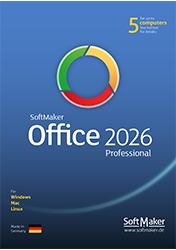
Your new office suite!
Office for Windows, Mac and Linux – all in one package!
Try it out for free
Includes TextMaker, PlanMaker and Presentations.
Download your free 30 days trial version now!